
Cash on delivery
Every price, name and number in this guide is invented test data, shown only as an example — any resemblance to real companies is coincidental. Real figures appear once you register.
With cash on delivery (COD), the courier collects money from your customer at the door. We send that money to your bank account.
COD is not how you pay us. You pay for the order as usual when you place it.
Before your first COD order
- Open Profile → Company.
- Under COD payout account (IBAN), select Add IBAN.
- Enter the IBAN of an account in your profile currency and save. We check it with the bank registry.
Only the account owner and admins can add or change the IBAN.
Turning COD on in an order
- On the last step of the order, find the Cash on delivery block.
- Turn on Collect payment from the recipient.
- Enter the Amount to collect. This is what your customer pays, in the currency of the delivery country.
- Check You will receive. This is what we send you, in your currency. The exchange rate is fixed when you place the order.
COD has a fee, shown as Cash on delivery fee in the order cost. It is added to the order. It is never taken from the money we send you.
If you change the recipient's country, COD switches off. Turn it on again.
When COD is not available
The block is greyed out and says why. The most common reasons:
- A pickup point or parcel locker. Choose a courier to the door.
- The courier does not take cash in that country. Choose another courier.
- The order ships as several parcels. COD works for one parcel only.
- The order is over the courier's cash limit. Lower the order total.
- No IBAN, or it failed the check. Add or fix your IBAN. The block has a button for it.
- Exchange rates are being updated. Try again a little later.
For any other reason, the block says whether you can change something.
Where your money is
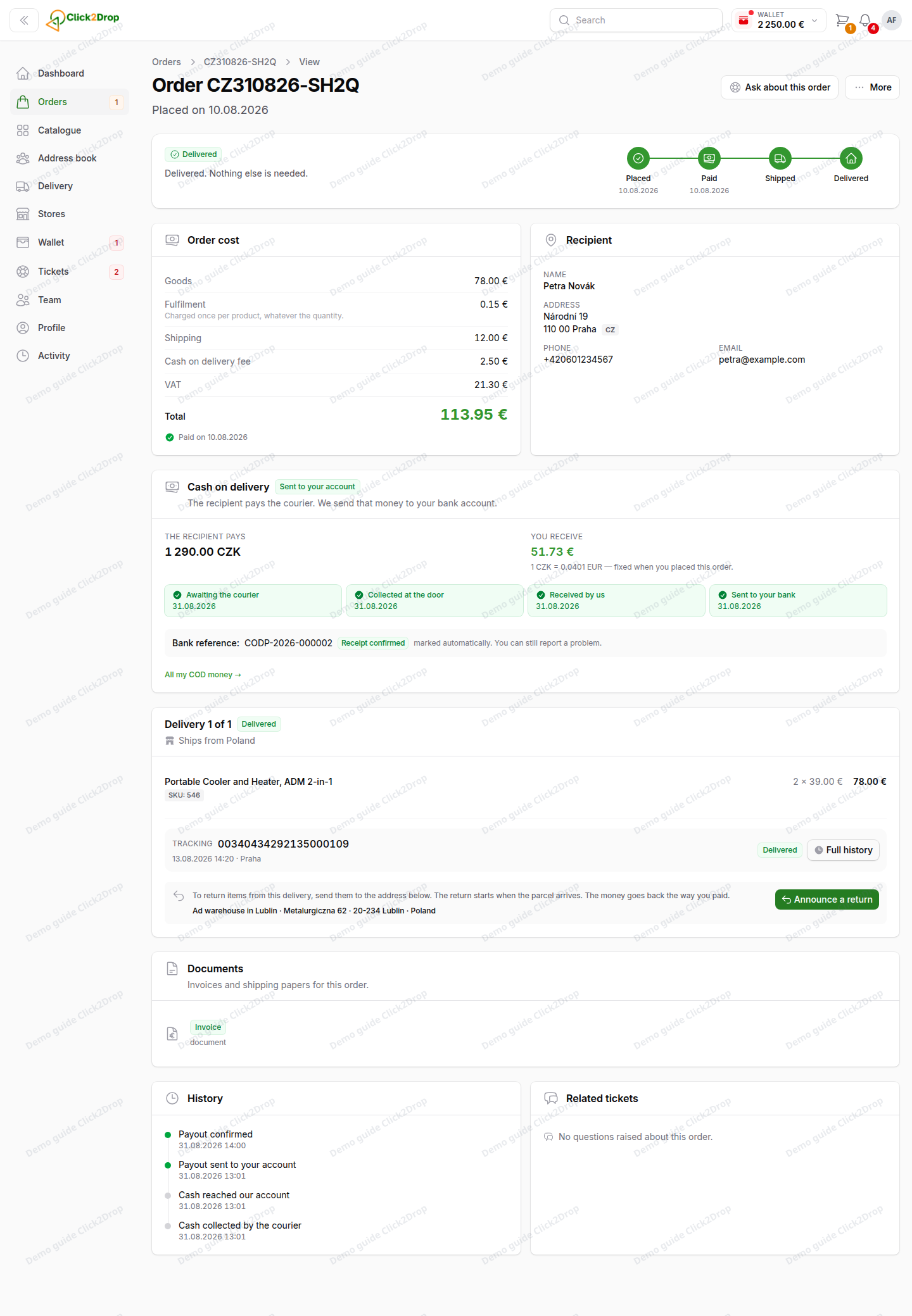
The order page shows the COD block with four steps and their dates:
- Awaiting the courier
- Collected at the door
- Received by us
- Sent to your bank
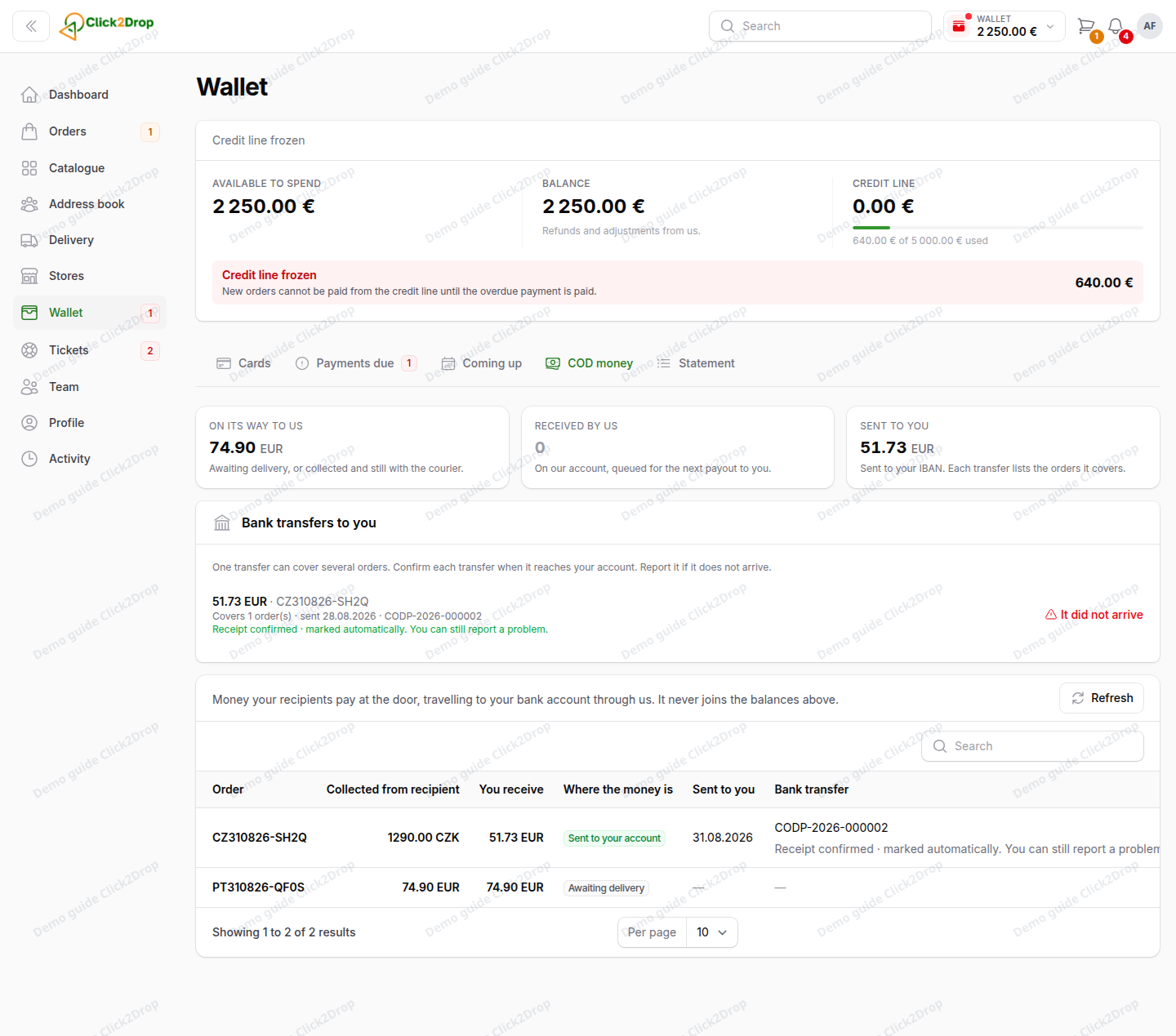
Wallet → COD money lists all your COD orders. The tab appears after your first COD order. The tiles at the top show the money on its way to us, received by us and sent to you.
Under Bank transfers to you, each transfer shows the orders it covers and its bank reference.
- When a transfer reaches your bank, select Money arrived.
- If it does not arrive, select It did not arrive. This opens a ticket, and we check the transfer.
A transfer you do not confirm is marked as received after some time. You can still report it as missing.
COD money is not part of your balance and never pays your debts.
Last updated September 28, 2026