
Team
Every price, name and number in this guide is invented test data, shown only as an example — any resemblance to real companies is coincidental. Real figures appear once you register.
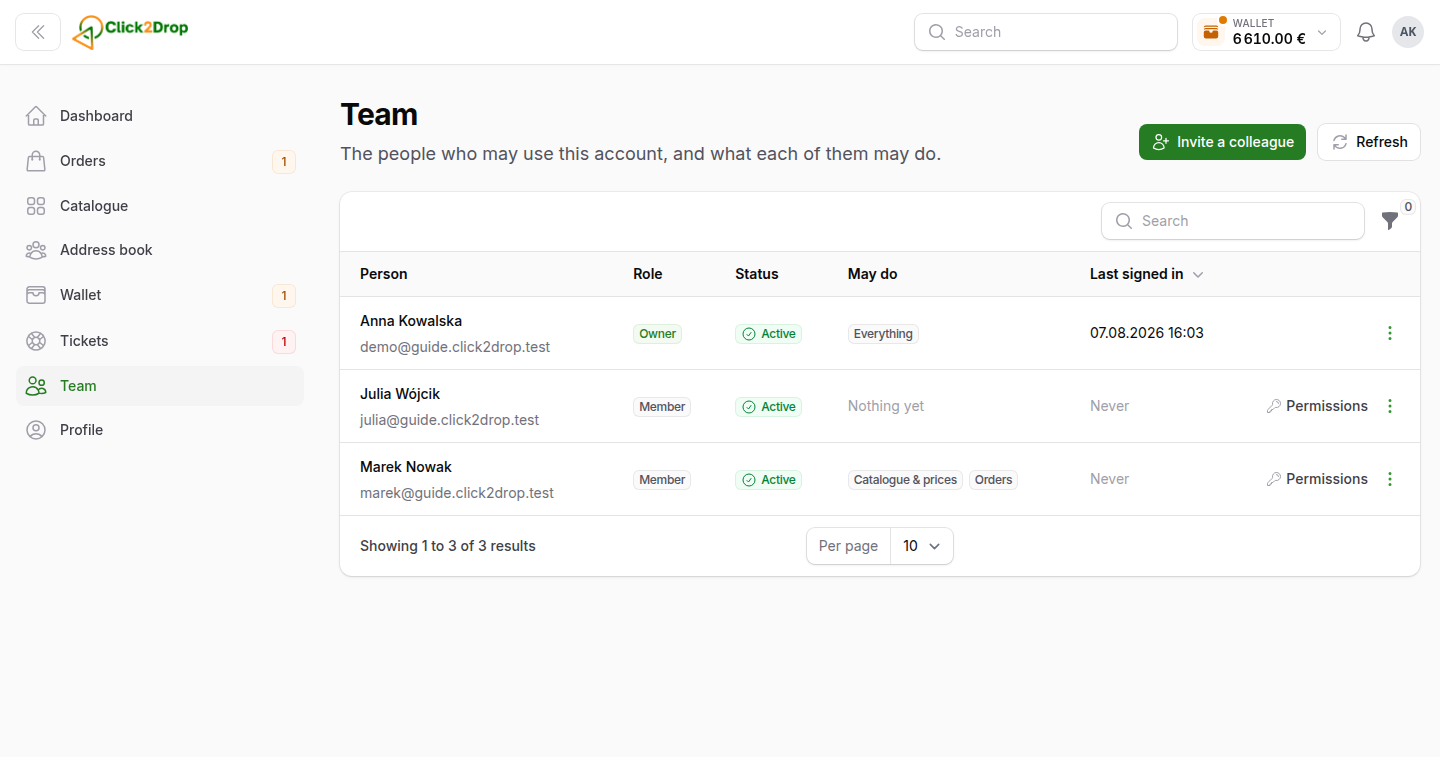
Team lists the people who can use your company's account, and what each of them may do.
Roles
- Owner. Can do everything. Only the owner can manage the owner.
- Admin. Can do everything except manage the owner.
- Member. Can use only the sections you tick for them.
Adding a team member
- Select Add a team member.
- Enter their name, e-mail and language. The phone is optional.
- Choose the Role. For a member, tick what they may do.
- Select Add and email the link.
They get an e-mail with a link to set their own password. Until then, their status is Invited. If the link has expired, use Resend the invitation on their row.
Permissions
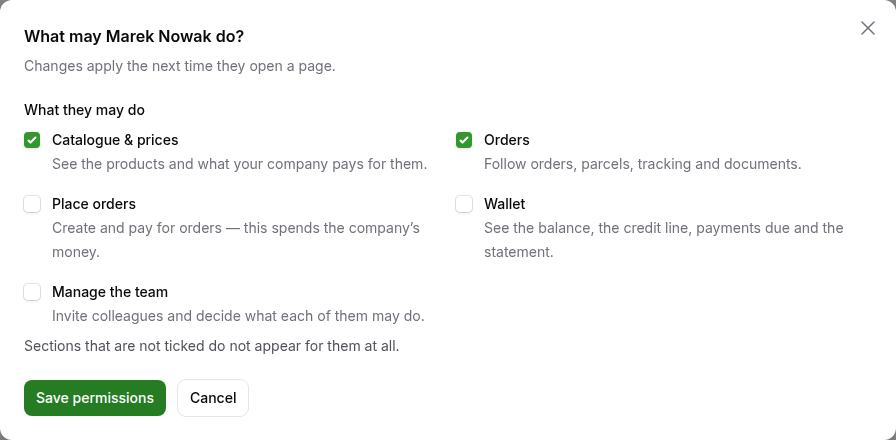
- Catalogue & prices. See the products and your prices.
- Orders. Follow orders, parcels and documents.
- Place orders. Create and pay for orders. This spends your company's money.
- Wallet. See the balance, credit line, payments due and statement.
- Manage the team. Add people and set their permissions.
- Manage notification recipients. Choose who receives company e-mails.
- Integrations. Connect your shop in Stores.
To change a member's permissions, select Permissions on their row. Sections they may not use do not appear for them.
Other actions
The row menu has:
- Edit details. Name, phone and language.
- Make an admin or Remove admin rights.
- Switch off access. They can no longer sign in. Their orders, payments and messages stay. Switch on gives the access back.
- Delete the invitation, for someone who has not accepted it yet.
To hand the account to a new owner, write to us in Tickets.
Last updated September 28, 2026