
Dashboard
Every price, name and number in this guide is invented test data, shown only as an example — any resemblance to real companies is coincidental. Real figures appear once you register.
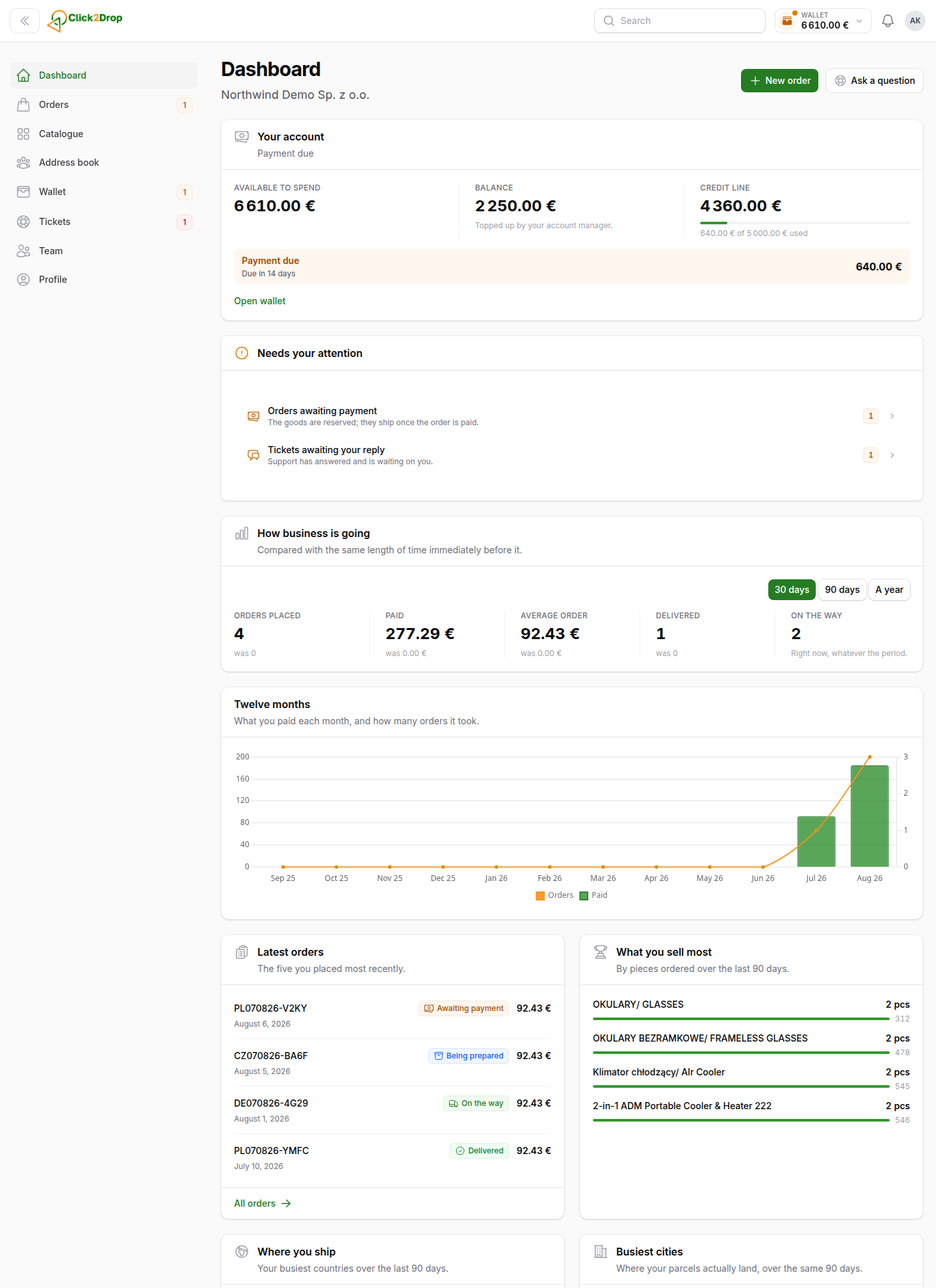
Dashboard is the first screen after you sign in. It shows your money, what needs your attention and how your business is going.
The buttons at the top
- New order starts an order. See Placing an order.
- Ask a question opens a new ticket to us. See Tickets.
The blocks, from top to bottom
- Your account is not verified yet. Shown only until we verify your company. The button opens your company details.
- Your account. Available to spend is your balance plus the unused part of your credit line. Below are your Balance and your Credit line. A coloured strip appears when a payment is due or overdue, or when your credit line is frozen.
- Needs your attention. Orders awaiting payment, shop orders that need your decision and tickets awaiting your reply. Select a row to open the list. When nothing waits, the block is hidden.
- How business is going. Orders placed, money paid, the average order, delivered orders and orders on the way. Choose 30 days, 90 days or A year. Each number shows the previous period below it.
- Twelve months. Your orders and spending, month by month.
- Latest orders and What you sell most. Your five newest orders and your five best-selling products.
- Where you ship and Busiest cities. The countries and cities you send the most orders to.
You see only the blocks your permissions allow.
Last updated September 28, 2026