
Catalogue
Every price, name and number in this guide is invented test data, shown only as an example — any resemblance to real companies is coincidental. Real figures appear once you register.
Catalogue lists the products you can order, with their prices and stock.
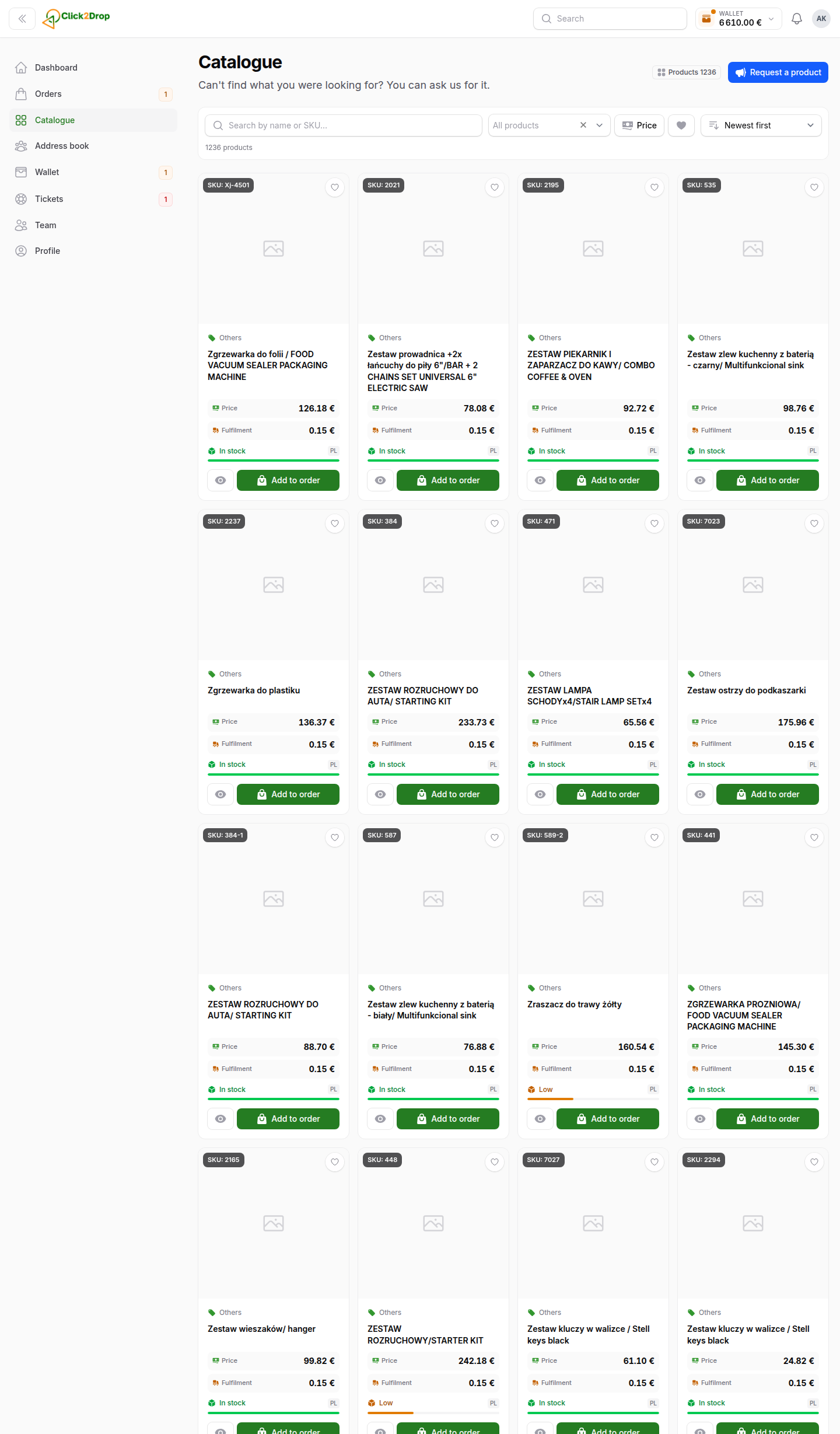
Products that are out of stock stay in the list. They come after the products in stock.
The product card
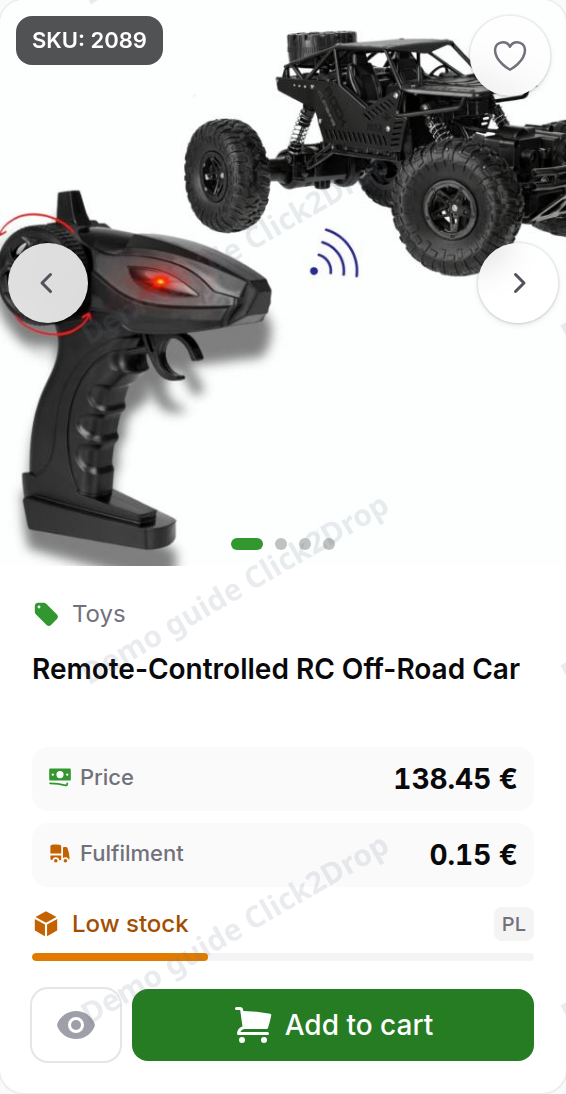
From top to bottom, a card shows:
- SKU. The product code, for example SKU: 521. Search by it, and quote it when you write to us.
- The heart . Adds the product to My list.
- Category and name. Select the name to open the product page.
- Price. The price of one unit for your company.
- Fulfilment. The fee for picking, packing and handing the order to the courier. It is charged once for each SKU in an order, whatever the quantity.
- In stock, Low stock or Out of stock. The codes beside it are the countries where the product is held.
- Quick view . Opens the product details in a window.
- Add to cart. When the product is out of stock, the card shows Request instead.
A product that comes in several sizes or colours has a card for each variant. Each variant has its own SKU, price and stock.
Finding a product
Use the bar above the cards:
- Search. Enter a name or a SKU. An exact SKU comes first.
- Category. Select one or more categories. A category includes its subcategories.
- Price. Enter a minimum, a maximum or both, then select Apply.
- My list only . Shows only the products on My list.
- Sort. Newest first, Name A–Z, Cheapest first or Most expensive first. Products in stock always come first.
Each filter you turn on appears under the bar. Select its cross to remove it, or Clear filters to remove them all. On a phone, the filters open from the Filters button.
My list belongs to your company. Everyone on your team sees the same list.
Quick view and the product page
Quick view opens a window over the catalogue. It shows the photos, the price, Fulfilment, where the product is in stock and how many variants it has. Open product takes you to the product page.
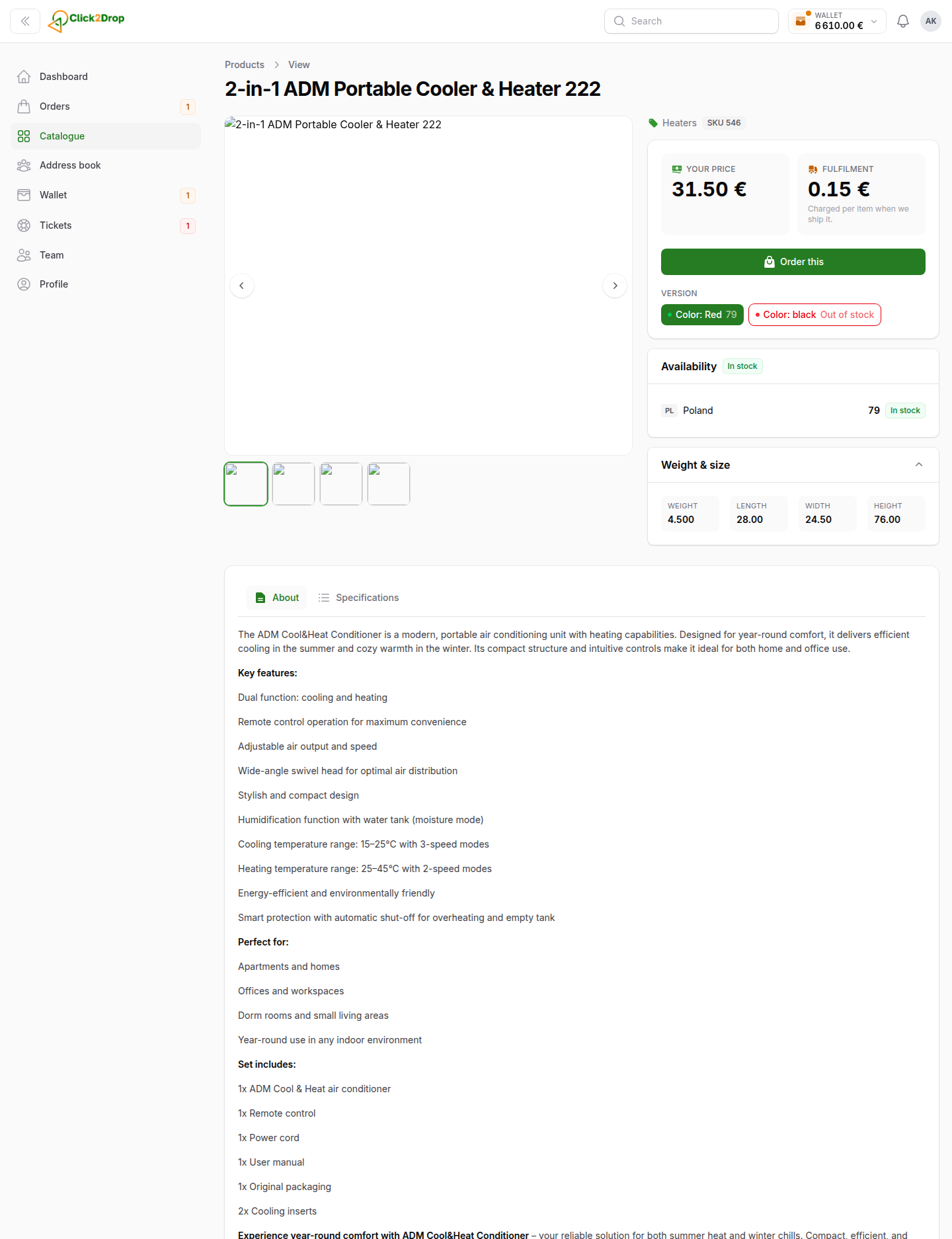
The product page shows:
- Your price and Fulfilment, with the Add to cart button below them
- the variant buttons, when the product has several, each with its stock
- Availability in each country, when you expand it
- Weight & size
- the description tabs: About, Features, Specifications and Overview
Adding a product to the cart
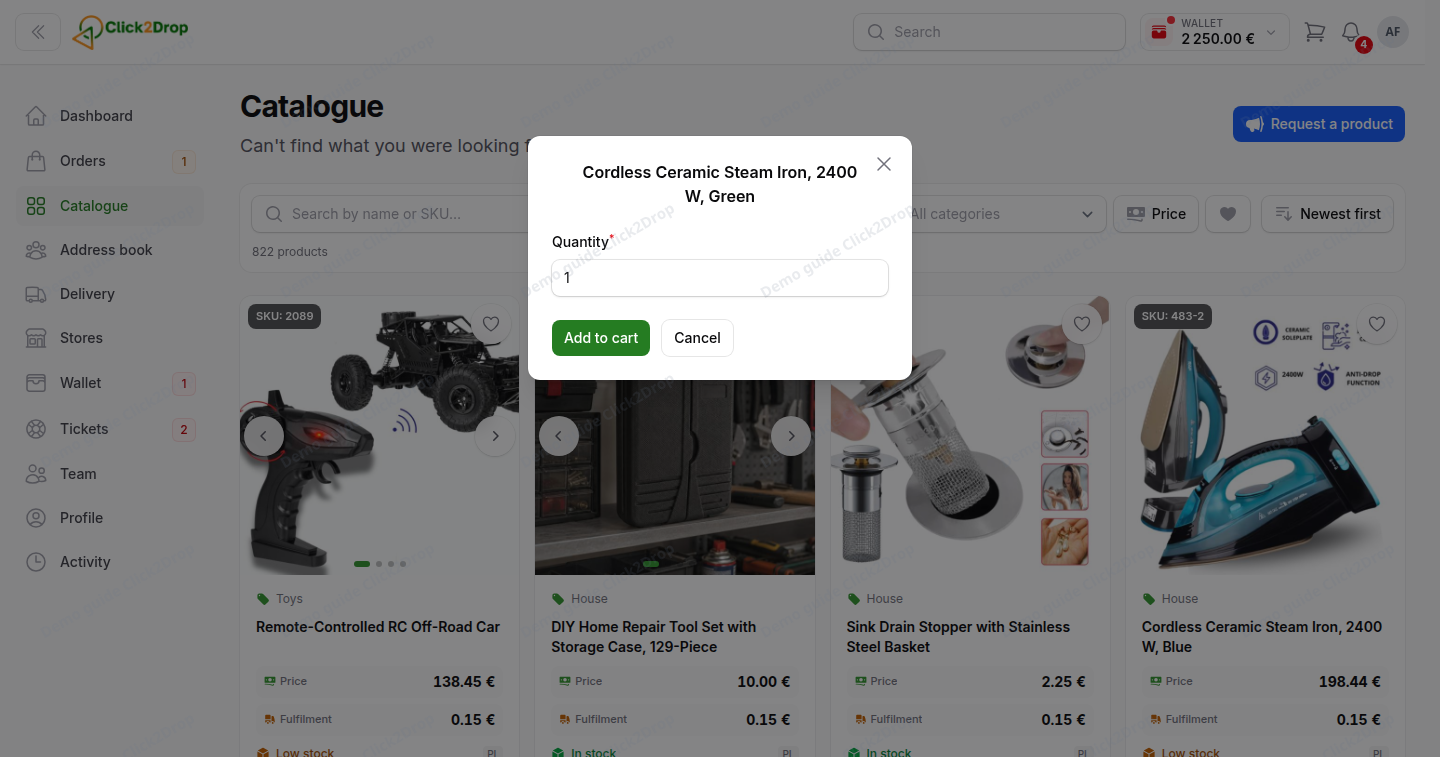
- Select Add to cart on the card or on the product page. A window opens.
- Enter the Quantity. It cannot be more than we have in stock.
- Select Add to cart in the window.
The button now shows the quantity, for example In cart · ×2. Select it again to change the quantity. Confirm with Save, or take the product out with Remove.
The cart is in the top bar. How it works is explained in Placing an order.
Asking us for a product
- Out of stock. Select Request on the card or on the product page.
- Low stock, and you need more. Select Need more than this? on the product page.
- Not in the catalogue. Select Request a product at the top right of Catalogue, or at the bottom of the list.
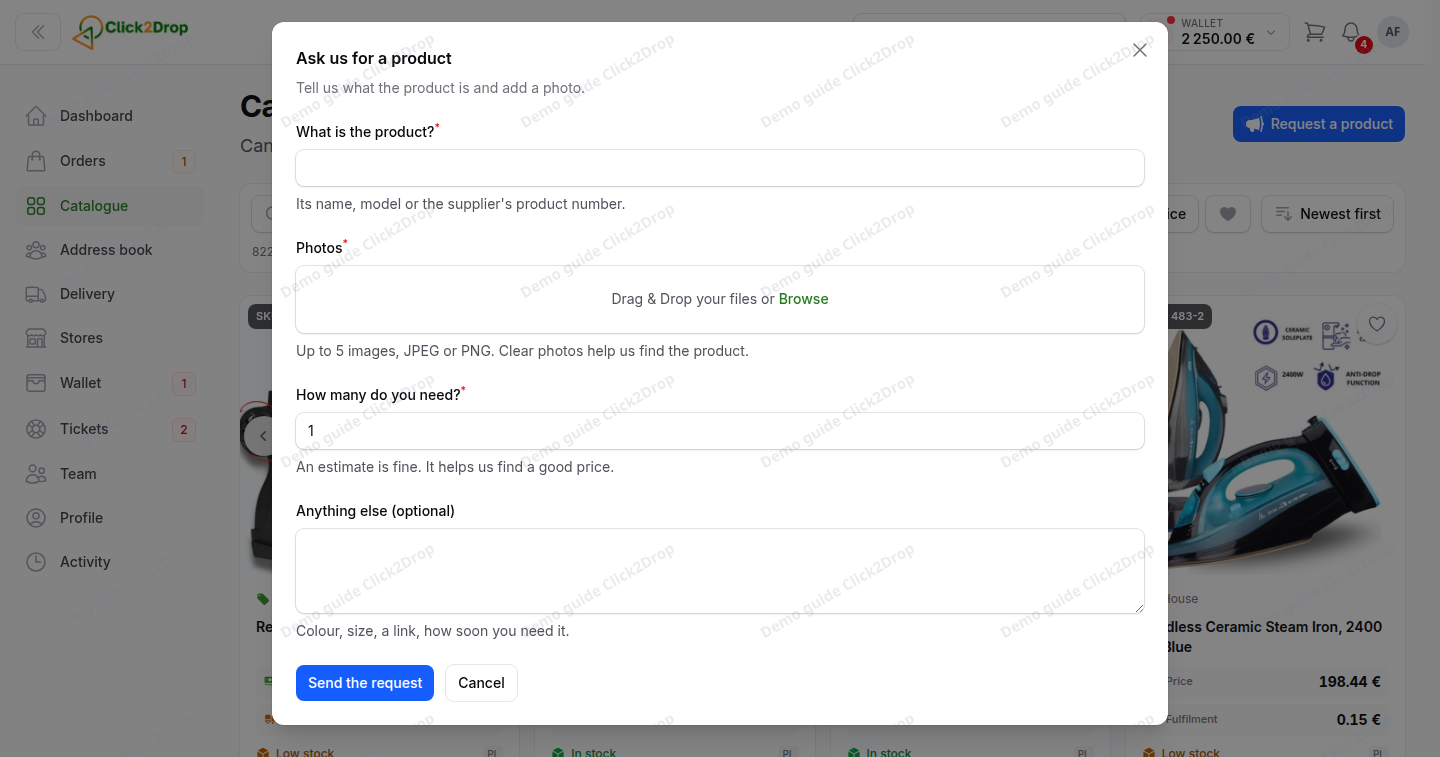
A window opens. Enter the quantity you need and anything else we should know. For a product that is not in the catalogue, also add its name and at least one photo. Then select Send the request.
Your request appears in Tickets , under Product requests. We reply there. On the card, the button changes to Requested.
Your company can ask about the same product once every 24 hours. A request from any team member counts.
If you cannot add to the cart
- Your company is not verified yet. Add to cart and Request are locked. Hover over a locked button to see why. They unlock once we verify your company. See Getting started.
- Your user cannot place orders. The card shows Open instead of Add to cart. Ask the account owner for this permission in Team.
Last updated September 28, 2026