
Notifications
Every price, name and number in this guide is invented test data, shown only as an example — any resemblance to real companies is coincidental. Real figures appear once you register.
We tell you about your orders, payments and tickets in the panel and by e-mail.
The bell
The bell in the top bar shows how many notifications you have not read. Select it to see the latest ones.
A notification becomes read when you open it, select its tick, or select Mark all read. Looking at the list does not mark it read. View all notifications opens the full list.
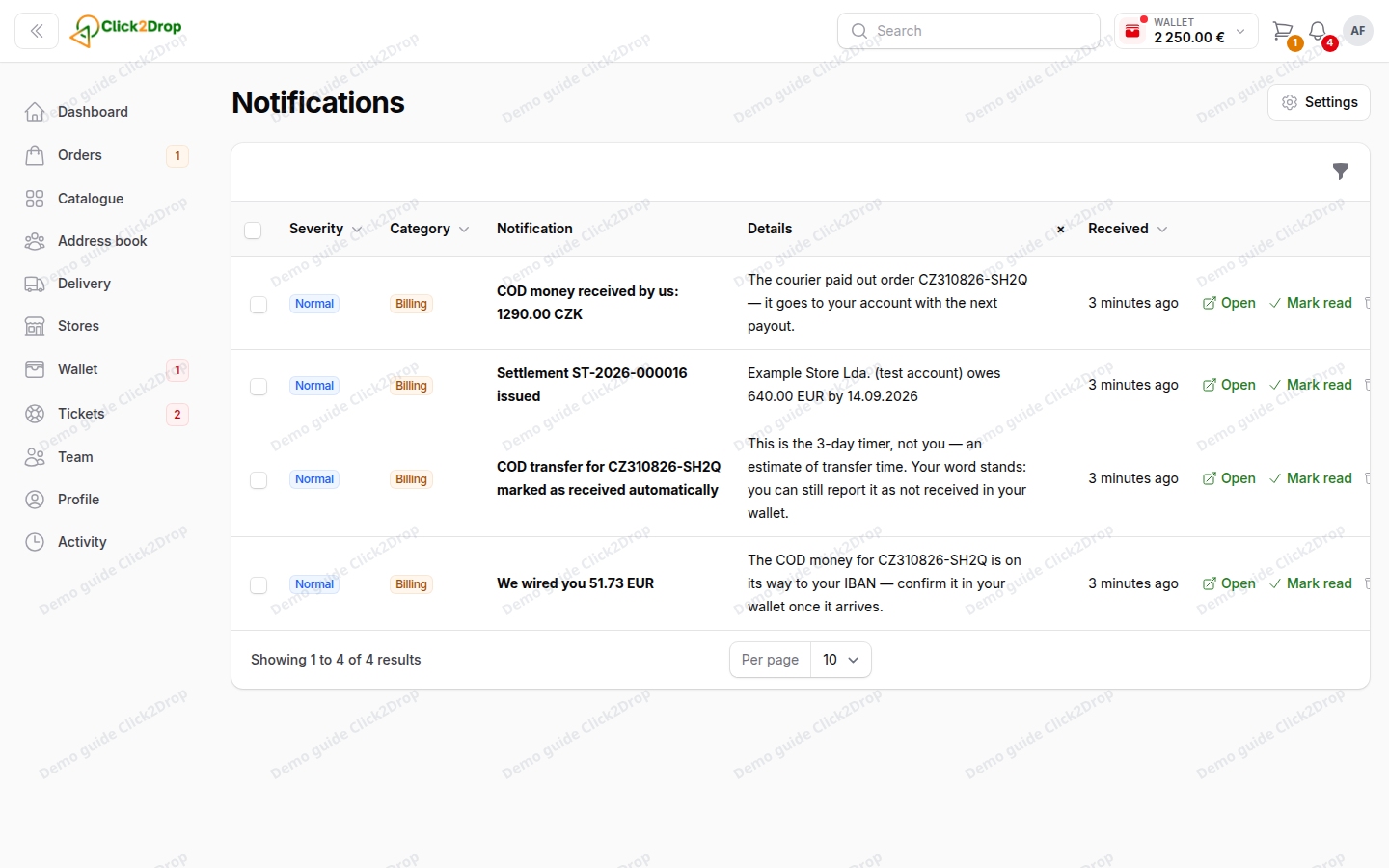
In the full list, filter by category or severity, or show Unread only. Archive hides a notification from the list.
Your channels
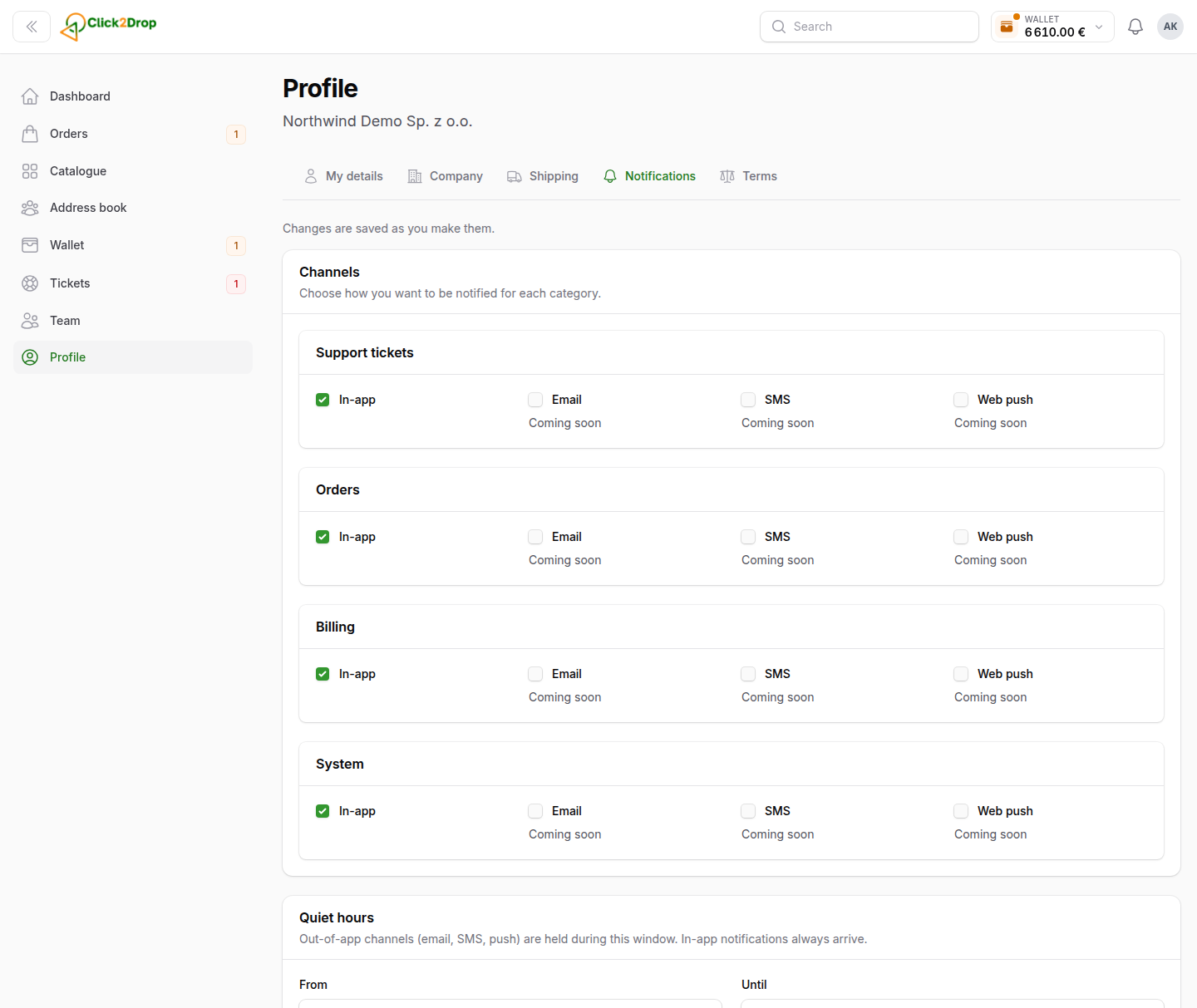
In Profile → Notifications, choose how you get each category. Changes save as you make them.
- E-mail can be switched on or off for every category.
- In-app can be switched off only for orders. The other categories always reach the panel.
Some e-mails are always sent, whatever you choose. These include invoices, payments, refunds, cash on delivery transfers and account messages.
Quiet hours: set From and Until. During those hours we hold e-mails and send them when the hours end. Invoices and other required e-mails are still sent. Notifications in the panel always arrive.
Company recipients
Below your channels, choose who in your company gets which e-mails:
- Main recipient for each category. Empty means the account owners.
- Always in copy, for people who should get a copy.
Ticket e-mails go to the people in the conversation. Only the owner, admins and team members with this permission can change the recipients.
Last updated September 28, 2026