
Orders
Every price, name and number in this guide is invented test data, shown only as an example — any resemblance to real companies is coincidental. Real figures appear once you register.
Orders lists every order of your company. Open an order to see its parcels, money and documents.
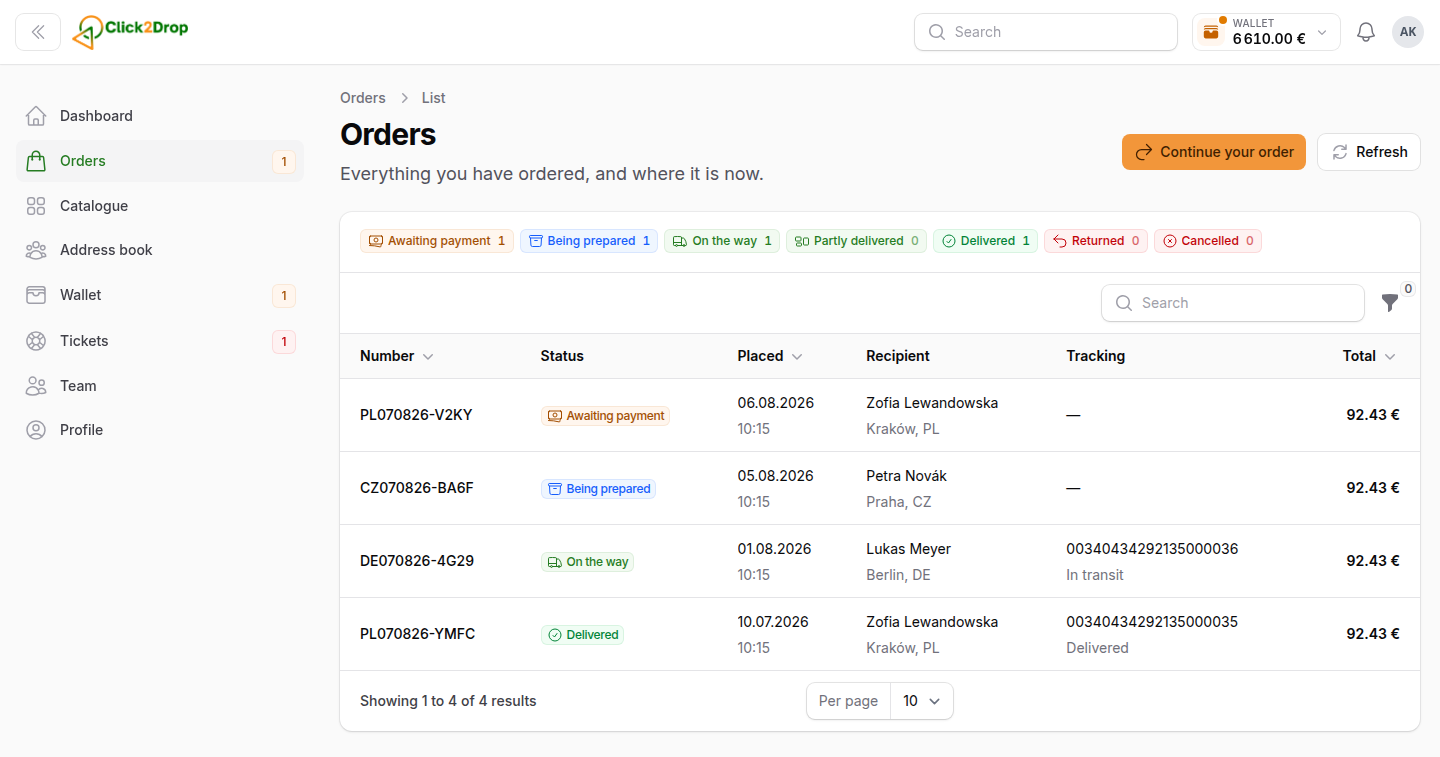
The list
- Status chips above the table. Each shows a status and how many orders have it. Select one to see only those orders. Select it again to see all.
- Search. Enter an order number, a recipient's name or city, or a tracking number.
- Filters: Status, Store and Placed.
- Export saves the list with your filters. The file appears in your notifications.
Select a row to open the order. A draft opens in the order form. See drafts.
Order statuses
- Draft. Saved, not placed yet.
- Awaiting payment. The products are reserved. The order ships once it is paid.
- Being prepared. The warehouse is packing it.
- On the way. The courier has it.
- Partly delivered. Some parcels have arrived. The rest are on the way.
- Delivered. Every parcel has arrived.
- Returned. The goods came back. See Returns and refunds.
- Cancelled. The order will not ship. The order page says why and what happens to the money.
The order page
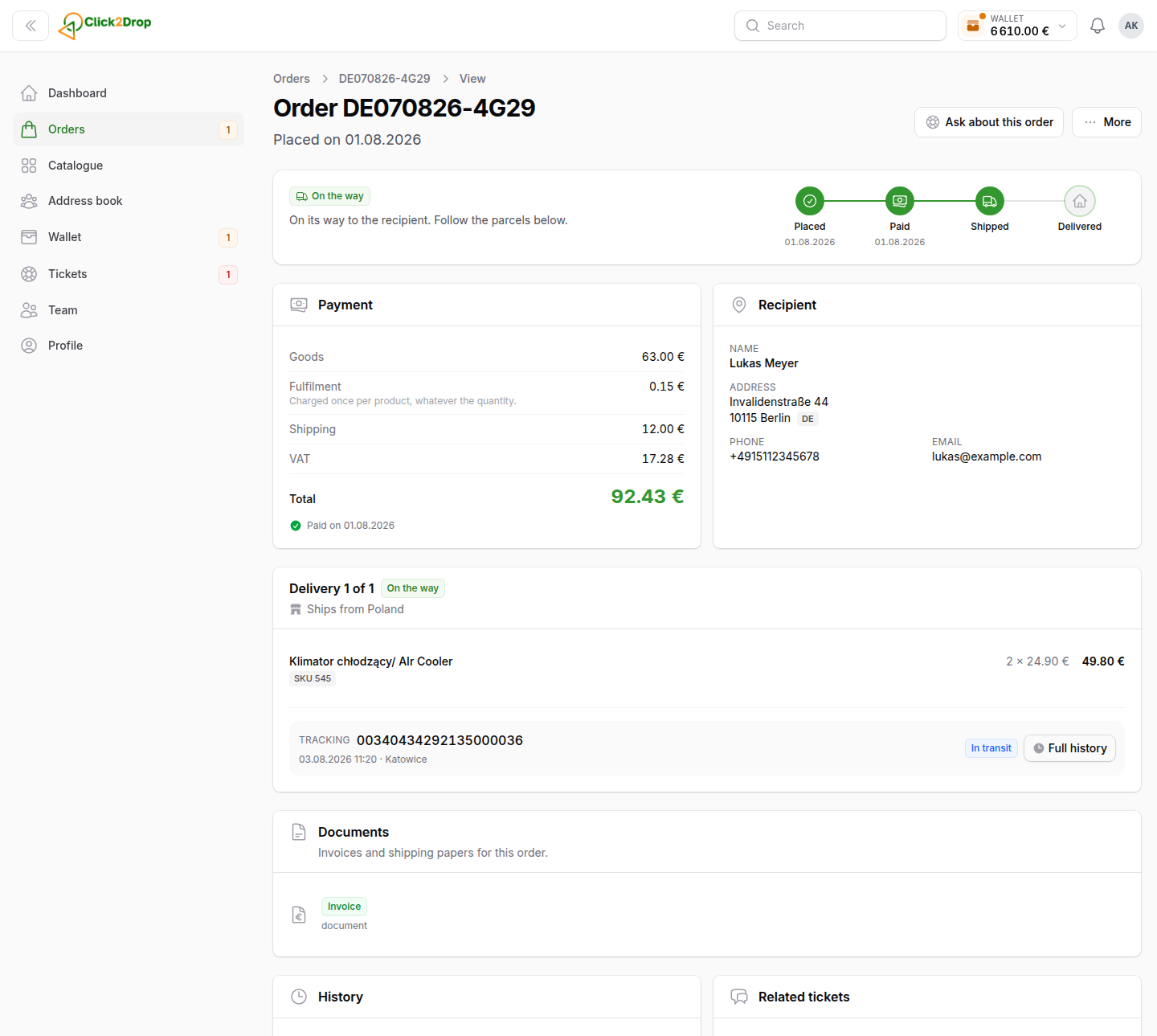
From top to bottom:
- The status, with one line on what happens next. On the right: Placed, Paid, Shipped and Delivered, with dates.
- Order cost: goods, Fulfilment, shipping, the cash on delivery fee if any, VAT and the total.
- Recipient, with the note for the courier.
- Cash on delivery and Invoice for the recipient, when the order has them.
- Delivery blocks, one per parcel: the products, the courier and the tracking number.
- Returns, when the order has one.
- Payments & refunds: the money paid and refunded for this order.
- Documents: invoices and other papers. Open one to read it, or download it.
- History and Related tickets.
The page updates by itself until the order is delivered, returned or cancelled.
Tracking a parcel
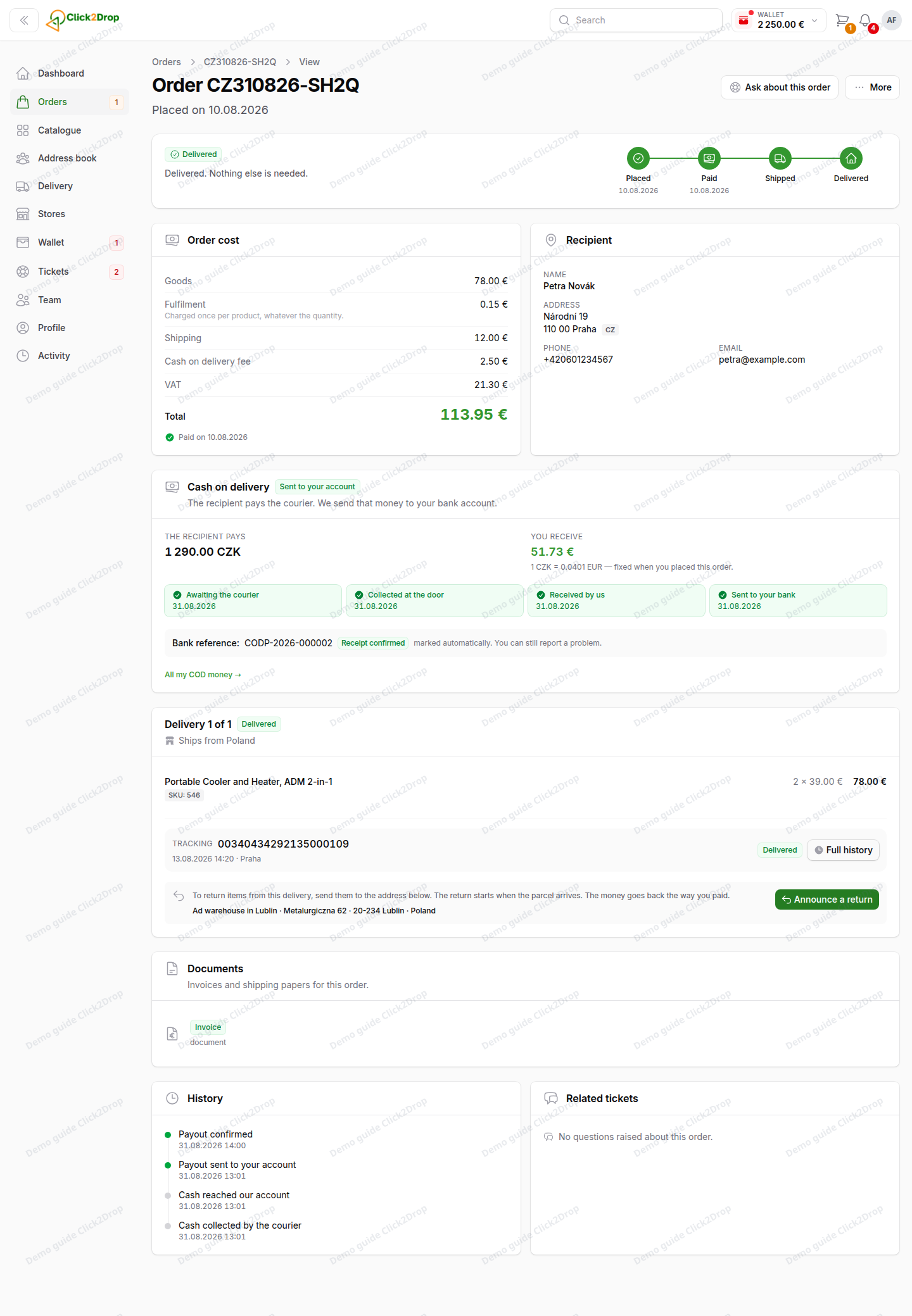
Each delivery block shows the tracking number and the latest scan. Full history lists every scan. Track on the carrier's site opens the courier's own tracking page.
Paying an order
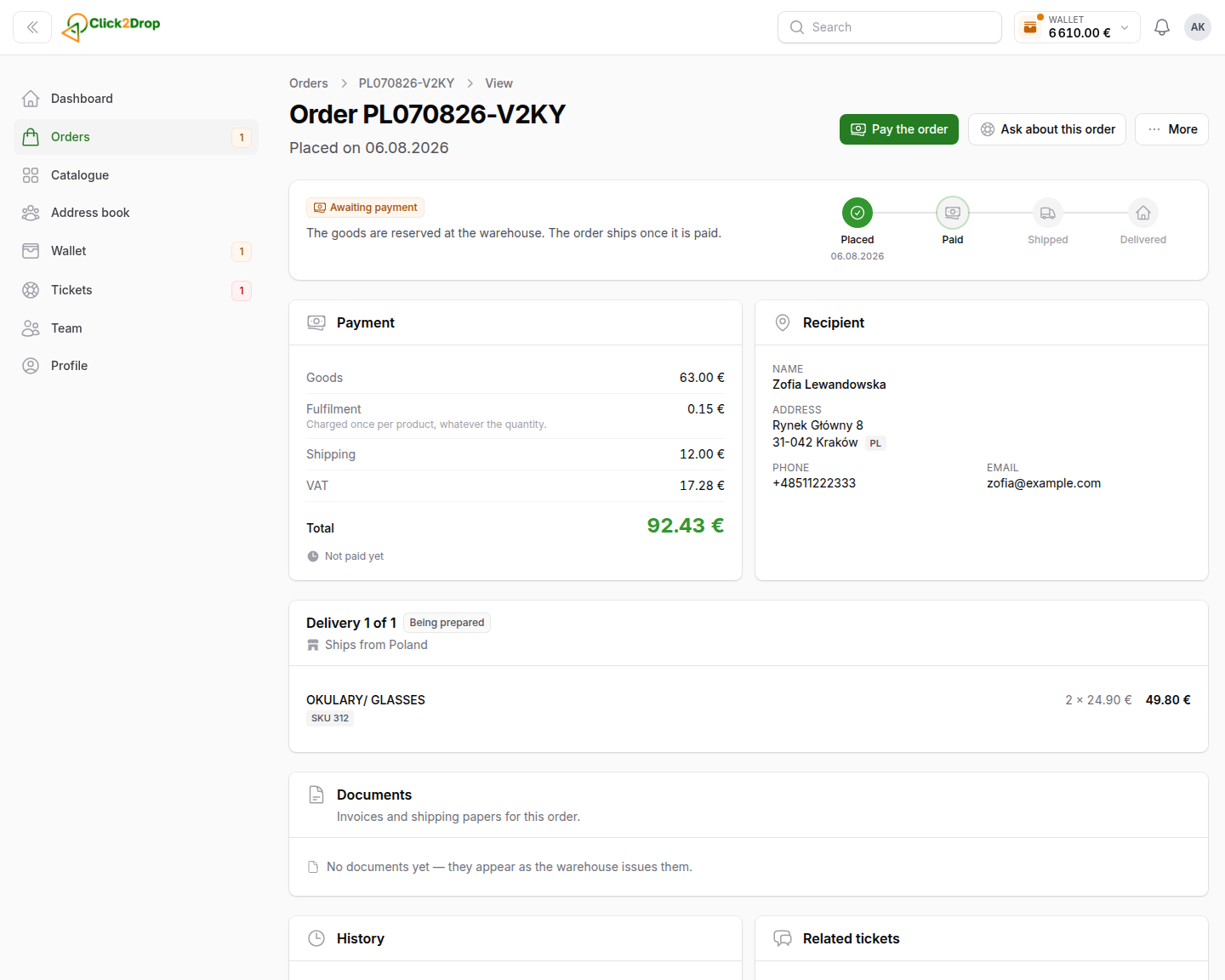
An order in Awaiting payment shows Pay the order and the time left to pay.
- Select Pay the order.
- Choose how to pay. The options are the same as in Placing an order.
- Select Pay now.
When the time runs out, the reservation ends and the order is cancelled.
If your bank asks you to confirm a card payment, select Confirm the payment on the order page.
Other actions
- Ask about this order. Opens a new ticket with the order already filled in. Nothing is sent until you send it.
- More → Order again. Starts a new order with the same recipient and products, at today's prices.
- More → Cancel order. Only while the order is unpaid and nothing has shipped.
- More → Request cancellation. For an order you cannot cancel yourself. It opens a ticket, and we reply there.
Last updated October 24, 2026